I don’t like spending too much money. I find it wasteful if I can do the thing rather simply without needing to spend. For the longest time, I have been interested in astrophysics and astronomy and I thought, “well, physicists in general need to know how to code, and I like astrophysics. Why not combine the two?” So with (not at all time-consuming) searching on youtube, I found a tutorial for Data Analysis with Python for Astronomical Data. What perfect place to talk about it apart from my own website?
Even though I just started it, I want to be able to come back and see my progress over time. Thanks to the lovely, amazing people at freecodecamp.org for allowing anyone on the internet to learn coding.
Since it was only the first hour of the video, it was just covering the basics. I knew some of the code already from previous instances of spontaneous interest in python (which quickly fizzled when I started) but because it is related to astro this time, I’m lowkey hooked. Let’s see how it goes; I don’t want to burst my bubble.
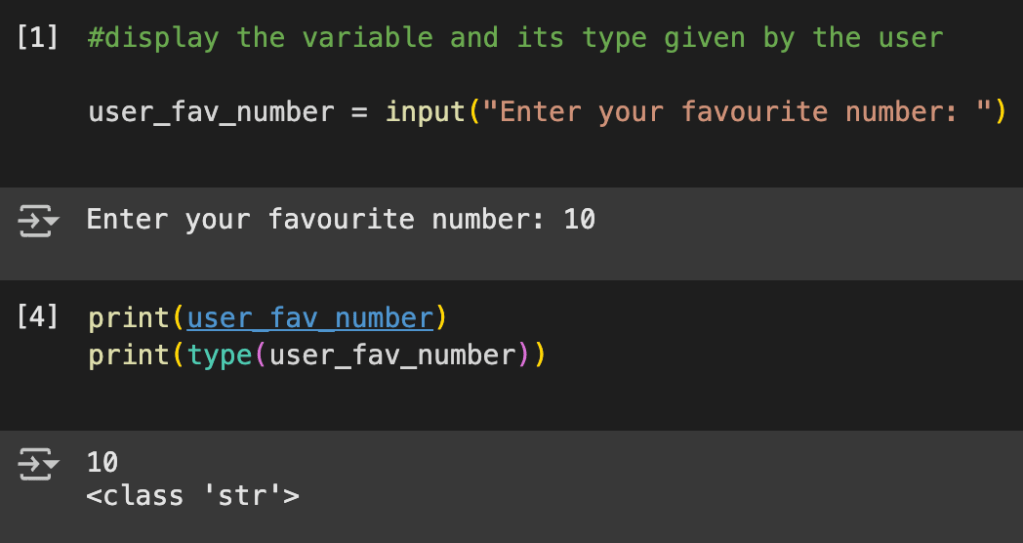
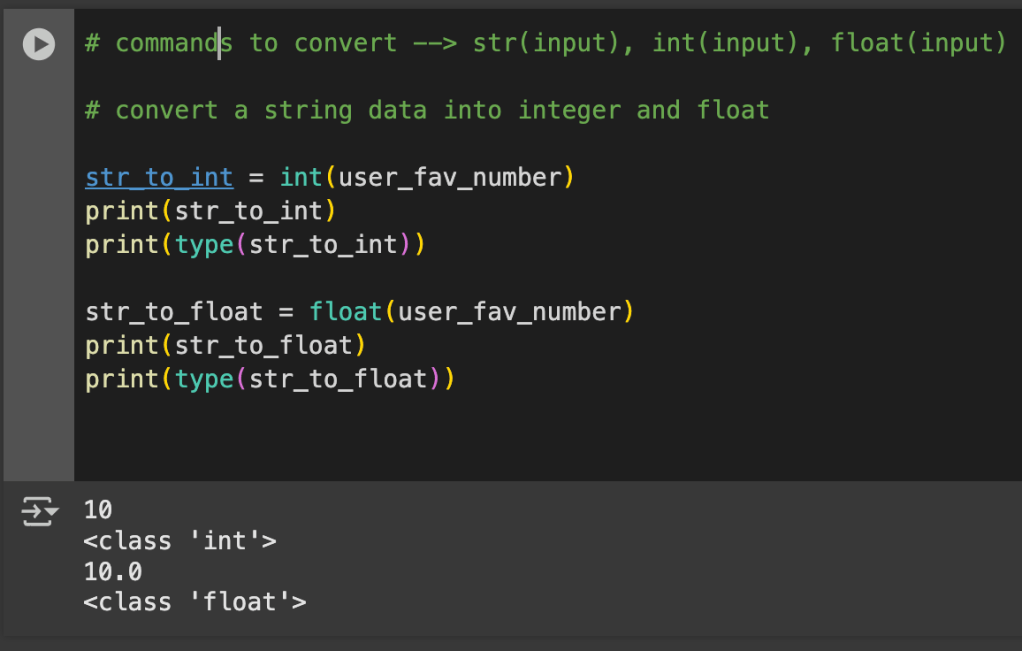
This was one of the first few (more interesting) things I was taught. It was the first time I learned how to change the type of some data. In this example we were asking the user to input their “fav_number” and were printing the number itself and its type. It fascinates me how the person who made python made it so easy to read and beginner friendly. I mean, even a complete novice can tell the language is basically english, with just a few words missing here and there. I appreciate it.
More interestingly (because it got more challenging, lol), I learned how to make for/while loops.
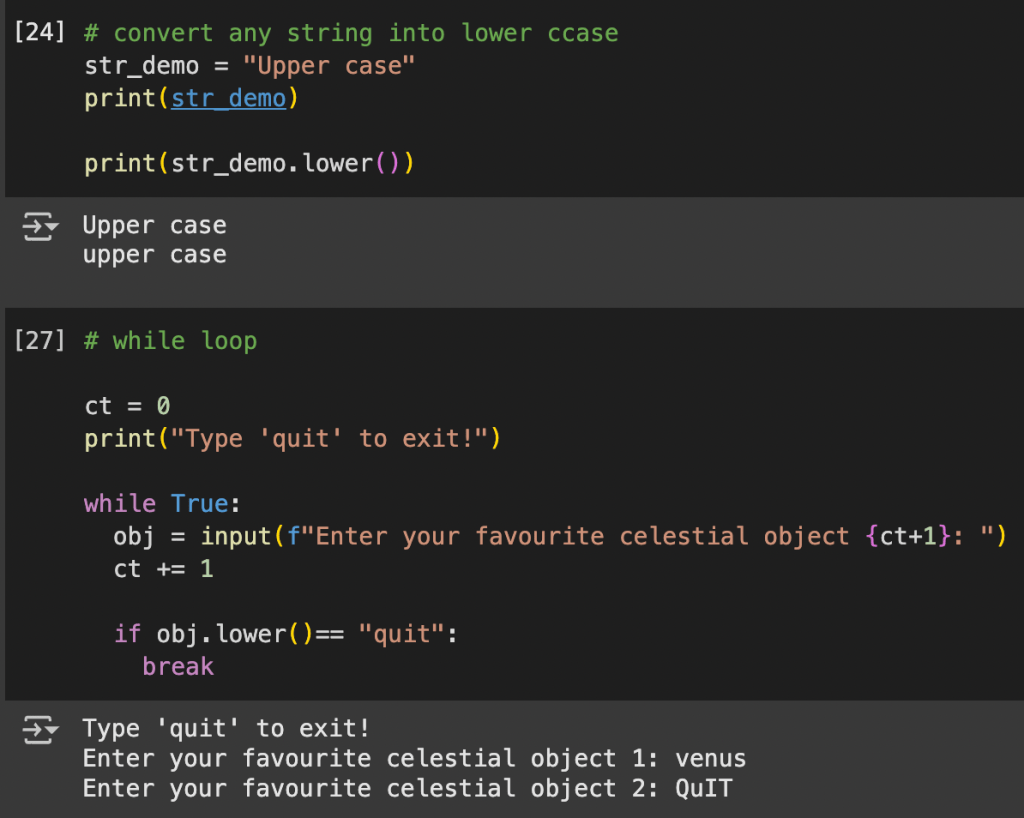
The first box in the picture above shows how one can convert any string, upper or lower case, into just a lower case string. Next, I use that to create a simple input system by asking the user to input their favourite celestial objects with increasing indexes (object 1, then 2, and so on) and stop asking for their response when they input any form of the word “quit”.
It was pretty cool to see the index numbers increasing. I really appreciate the logic behind coding. How one index or one space can completely perfect or ruin your code. As expected, the program ended when I inputted “QuIT” into the text box. It was also interesting how I set a variable “ct” to zero at the beginning. I didn’t know we had to do it manually. I also don’t know why I assumed that it happened automatically.
Also, f-strings are pretty damn cool. You can just input any variable form into a string by using them. It’s pretty smart.
It’s crazy how people use python for such interesting projects and also how some normal person created the language itself.
Signing off.
 TheDiscoverer.